Using AI Agents With Your Notes
Agent Chat lets you ask a language model about your notes from inside a document, using your own provider key, but that model can only read them. An agent on your own computer, such as Claude Code, Codex, Cursor or Copilot, can change them as well.
A local graph is a folder of plain Markdown files, so an agent can open it like any other project, with nothing to connect. A synced graph has no folder on your computer, and your device encrypts it before it goes to the Sync Server. You connect an agent to a synced graph through the Headless Client.
The Headless Client is an EtherPK program from npm that you run on the same computer as the agent. It serves one graph to the agent over MCP, with search, backlinks and tasks, and writes the agent's edits in the EtherPK format. For a synced graph, it also signs in as one of your devices, holds your Encryption Keys and keeps the graph in sync.
No agent can read a protected document. Its text is encrypted in the graph folder, and the Headless Client lists it by name only. If a task needs one, unlock it in EtherPK and do that part yourself.
Before you begin
- An agent on your own computer.
- Node.js 24 or later on that computer, for the Headless Client.
- For a synced graph, another device with EtherPK open and your Encryption Keys unlocked.
Find the Agents settings
Each graph's Settings has an Agents tab with the steps for that graph. To open Settings, select the cog button (Graph name and settings) in the toolbar. See Graph Settings for more information.
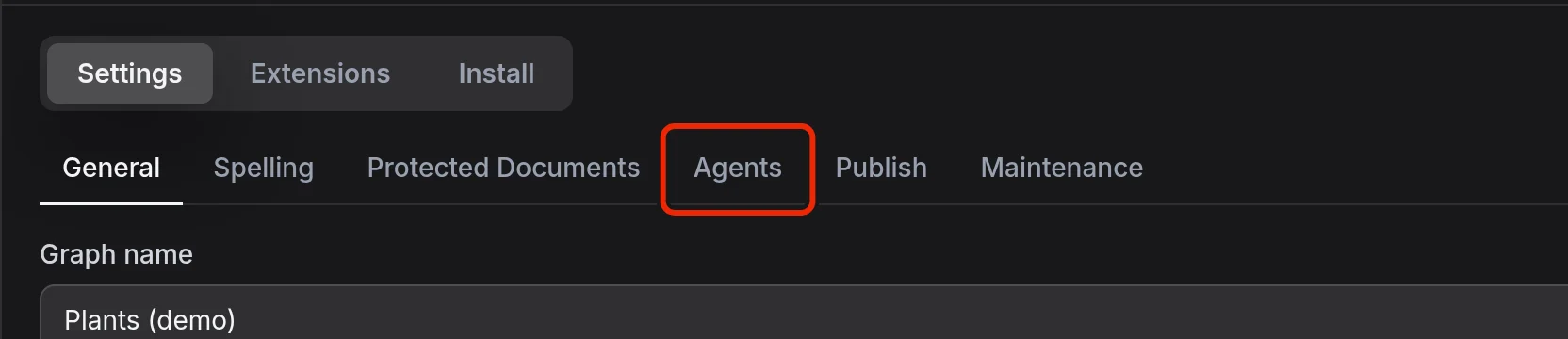
When no graph is open, the Graphs page has an Agents tab of its own, with the skill command and the sign-in for synced graphs.
Connect an agent to a local graph
Start the agent in the graph folder and it can read and edit your notes. For one document, right-click its tab, select Copy full file path to clipboard and give the agent the path.
You can leave EtherPK open while the agent works, since it reloads a file when the file changes on disk. See Local Graphs for more information.
Add instructions for the agent
The first time you open a local graph, EtherPK writes AGENTS.md and CLAUDE.md at the top of its folder. Claude Code reads CLAUDE.md instead of AGENTS.md, so EtherPK's CLAUDE.md only imports AGENTS.md.
AGENTS.md describes the file format and gives the agent rules, including:
- Leave protected documents as they are, because changing a single character of a document's encrypted text makes it unreadable for good.
- Leave the
etherpkfolder alone, because changing or deleting the protection key file in it makes every protected document unreadable. - Keep two-space indents for nested bullets and do not run a Markdown formatter, because a formatter changes the outline.
- Rename a page by changing the
titlein its frontmatter, not the file name.
See Graph Folder Layout and Document Syntax for more information.
In each file, EtherPK manages the section from the line that starts <!-- BEGIN ETHERPK to the <!-- END ETHERPK --> line, and the rest is yours. EtherPK rewrites that section every time you open the graph, to match your version of EtherPK, so you lose anything you type inside it. Put your own instructions above or below it:
House rules
Never change the Archive page.
Link each new page from today's journal entry.
<!-- BEGIN ETHERPK - DO NOT EDIT THIS SECTION. It is managed by EtherPK and rewritten on every open; put your own notes above or below it. -->
...
<!-- END ETHERPK -->
Use a notes folder inside a larger project
If you start the agent in a project folder above your notes folder, Claude Code picks up the notes folder's CLAUDE.md when it reads files there. Other agents look for AGENTS.md only in the folder they start in and the folders above it, so name the notes folder in the project's AGENTS.md:
notes/ is an EtherPK graph folder. Read notes/AGENTS.md before editing files in it.
Add search, backlinks and tasks to a local graph
Plain files have no search index, backlinks or task list. To give the agent those, the Headless Client can serve a local graph folder too, with no sign-in. It serves only a folder with journals and pages folders in it. EtherPK creates them when you open the folder, so open it in EtherPK once first.
The browser does not tell EtherPK where the folder is, so first enter its path:
- In Settings, on the General tab, enter the path in Folder path on this device.
- Select Save.
- Open Settings again and select the Agents tab.
- Under Or give the agent search, backlinks and tasks too, select your agent.
- Select Copy.
- With Claude Code or Codex, run the command on the same computer as the agent.
- With Cursor or Other, you copy the MCP settings as JSON. Add them to your agent's MCP settings.
For Claude Code, the command is:
claude mcp add etherpk -- npx @appsoftwareltd/etherpk-mcp serve --folder /path/to/your/notes
The agent can still edit files directly while the folder is served, since the Headless Client picks up changes on disk before the next tool call.
Connect an agent to a synced graph
Because the Headless Client has to run where your Encryption Keys are, an agent that runs entirely in the cloud cannot reach a synced graph.
- In the graph, open Settings > Agents.
- Under 1. Sign in the agent's computer, select Create an Agent Setup Code.
- Select Copy, then run the login command in a terminal on that computer. Note the code it shows.
- In EtherPK on your other device, approve the sign-in if the codes match.
- In the terminal, press
y. - Under 2. Tell the agent about this graph, select your agent.
- Select Copy.
- With Claude Code or Codex, run the command on the same computer.
- With Cursor or Other, add the JSON to the MCP settings in your agent.
For Claude Code, that command is:
claude mcp add etherpk -- npx @appsoftwareltd/etherpk-mcp serve --sync-server <url> --graph <graph id>
An Agent Setup Code can be used only once and it expires, so create it just before you run the login command. If yours expires, select Create a new Agent Setup Code.
You sign in once per computer, so connecting another graph takes only steps 1, 6 and 7. See The Headless Client for more information.
Other ways to reach a synced graph
An agent can also read a Local Mirror, a plain Markdown copy of a synced graph kept in a folder on one device. EtherPK never reads changes back from that folder, so it overwrites anything the agent changes there. See Keeping A Local Copy Of A Synced Graph for more information.
Add the EtherPK agent skill
The etherpk skill teaches an agent to make a graph folder inside a project for a blog, docs site or wiki. It then teaches the agent to write the pages, test them with a dry run and publish them. With a synced graph, the skill works through the Headless Client. Both Agents tabs show the install command under Add the EtherPK skill to your agent. Run it from your project folder:
npx skills add appsoftwareltd/etherpk-client
The command uses the skills CLI, which supports Claude Code, Codex, Cursor and other agents. Add -g to install the skill for every project.
To open the skill's folder as a local graph, use a browser that can open folders and select Open folder (Local Graph) on the Graphs page. You can then publish it like any other graph. See Local Graphs and Publishing Your Notes As A Website for more information.