EtherPK Documentation
Welcome to the EtherPK user documentation
EtherPK is an app for personal notes, with a daily journal, pages linked by name, and tasks. You can also see your tasks on Kanban boards when the window is at least 1024 pixels wide. You can choose pages to publish as a website, and AI agents can read and edit your notes. The picture below shows the demo graph in the Graph View, where notes are dots and links are lines.
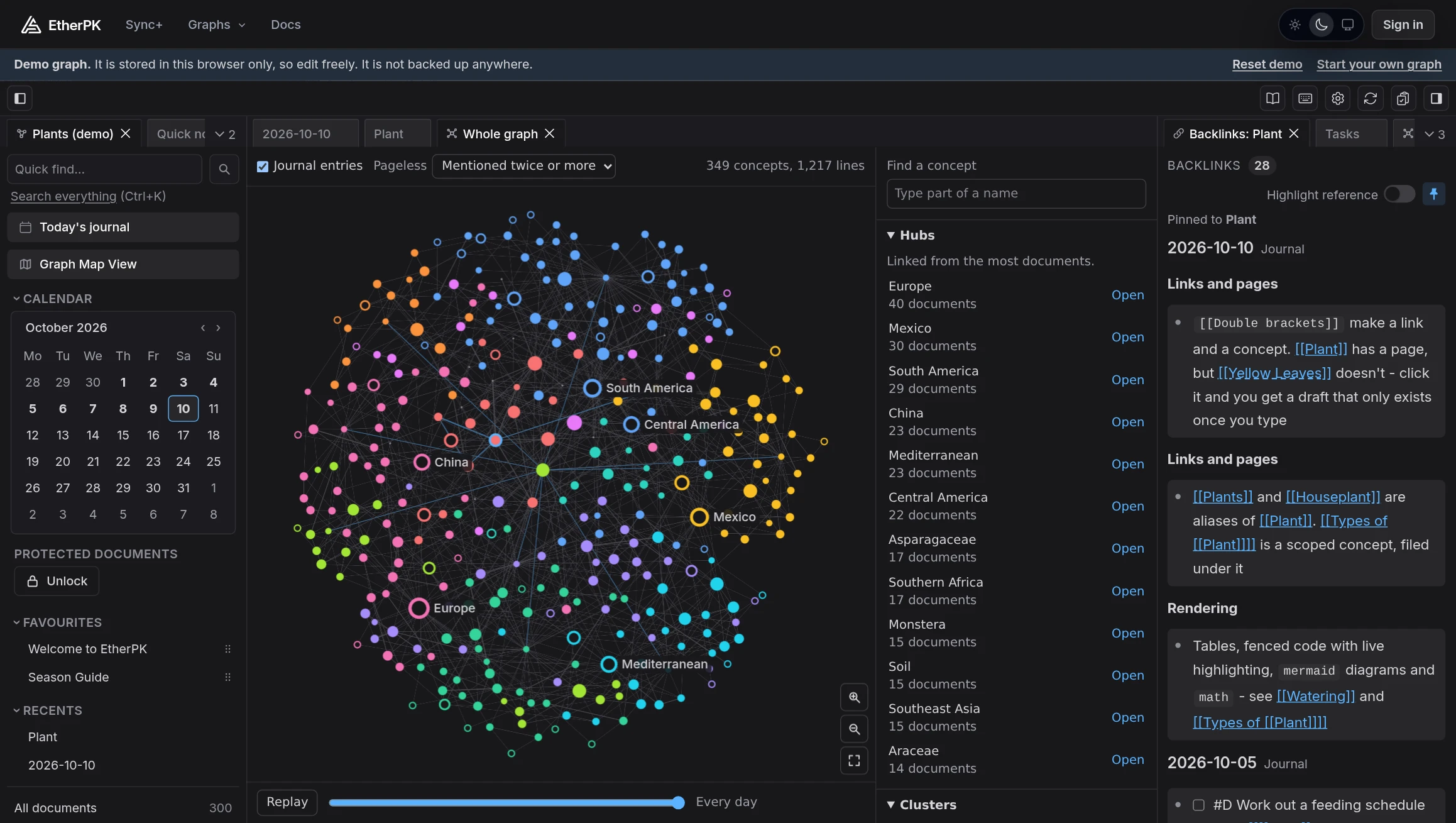
EtherPK runs in a web browser on a computer or phone. You can also install it as an app, except in Firefox on macOS or Linux.
Graphs, journal entries and pages
A graph is the set of notes that EtherPK opens, along with their images, files and settings. A journal entry is the document for one day, named by its date, and a page is a document that you name yourself.
A wikilink is a name in double square brackets, and it links to the document with that name even before that document exists. A document's backlinks are the documents that link to it.
Every note is plain Markdown. The editor draws outlines, tasks, tables, code, diagrams and maths on top of the text, so it stays as you typed it.
Local, synced and demo graphs
You can have several graphs, and each one is a local, synced or demo graph. You cannot change a graph's kind after you create it, so choose the kind first.
A local graph is a folder of Markdown files on your device, one for each note, so other editors can open the files, and tools such as Git can sync or back them up. It needs no account, and it works in Chrome or Edge on a computer and in Chrome on Android.
A synced graph is stored on Managed Sync, the EtherPK Sync Server. It works in any current browser, and you can share it with other people. Your device encrypts the graph's notes, so the Sync Server cannot read them. To create one, you need an EtherPK Account with Sync+.
The demo graph opens in any browser and comes with sample notes. They stay in that browser and are not backed up, so use the demo graph to try EtherPK.
Starting points
- Read Choosing Where To Store Your Notes before you create a graph.
- Follow Your First Graph to build a local graph.
- Read Installing EtherPK As An App to give EtherPK its own window.