Backlinks
A backlink is a wikilink in another journal entry or page that names the document you are reading. The app collects them from the links you write, so there are no tags or folders to keep up to date.
You can see backlinks in two places: under the document itself, and in the Backlinks panel in the right sidebar. Both show the same references in the same order, grouped by the document each link is in. A reference shows where the link sits in the note. It is read only, so to change it, edit the source document.
The list under a document shows its own backlinks, while the panel follows whichever document is in front. You can pin the panel to one document, or point it at another name with Show Backlinks.
Both lists are built from the search index on your device, so they catch up a moment after you type or remove a link.
Backlinks beneath a document
Journal entries, pages and drafts list their backlinks after the last line of text, under a Backlinks heading with the number of references. If nothing links to a document, it has no heading at all.
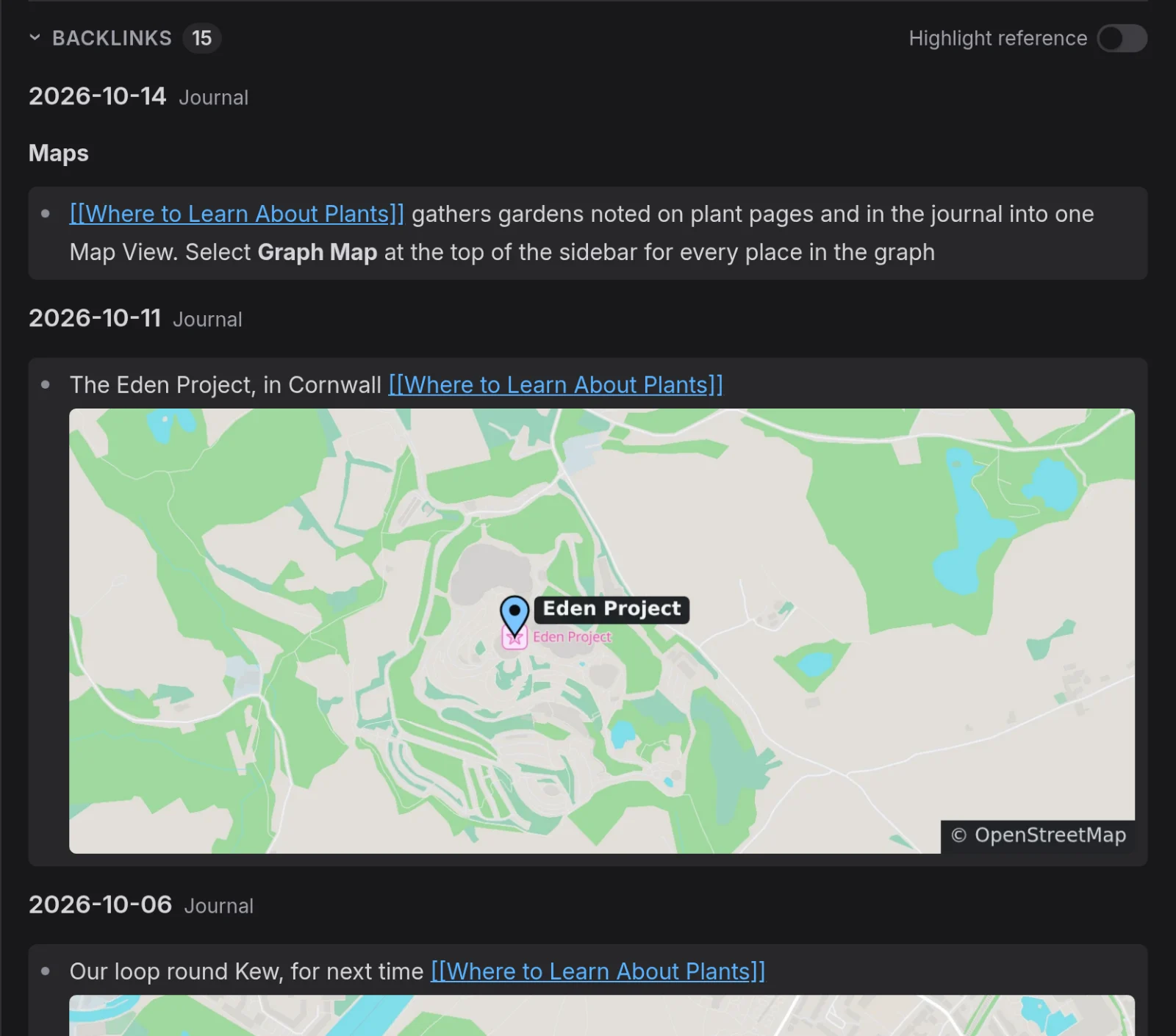
Open a linked name that has no page yet and you get an empty draft with its backlinks already listed, so your earlier notes on the subject are in view as you start the page. See Pages And Wikilinks for more information.
The list is not part of the text, so clicking just under the last line, or anywhere below the list, puts the cursor at the end of your text.
What a reference shows
Each group opens with its document's name and a Journal or Page label. Journal entries come first, newest at the top, then pages from A to Z.
When the link is in a bullet, the reference shows that whole bullet with its nested bullets, as they appear in the note. For a link in a paragraph or a heading, it shows the paragraph or heading. Above each reference, a bold line names any parent bullets and headings, outermost first.
Open a source document
Click a reference to open its source document, with the cursor at the start of the line that holds the link. Clicking the name at the top of a group opens that document too. Wikilinks inside a reference still work, and clicking one takes you to the page it names instead.
On a desktop you can open the source document beside the one you are reading. Right-click a reference or the name at the top of a group, and select Open in pane to the right or Open in pane below. A reference opens at the line that holds the link, and the cursor stays where it was. The list under a document opens it beside that document. The panel opens it beside the page in front of the main area. Right-clicking a wikilink inside a reference opens the same menu as a link in the editor. See Tabs And Panes for more information.
Fold or highlight the list
Select the Backlinks heading under a document to fold the list to that line, and again to unfold it. Folding is a single setting for the whole graph: fold the list under one document and it folds under all of them.
From the keyboard, use Go to backlinks in the slash menu to reach the list, since Tab in the text indents the line. The command unfolds a folded list and moves the focus to its heading.
Turn on Highlight reference to show the link to this document in bold and grey out the rest of each reference, except the bullet that holds the link. The switch is above the list under a document and in the panel heading. Both control one setting, so changing either changes the other.
Open the Backlinks panel
The Backlinks panel is the first tab in the right sidebar, next to Tasks, and on a phone it is a tab in the right drawer. On Windows and Linux, Alt+B brings it to the front, even when you have hidden the sidebar or closed the tab.
Keep the panel on one document
Clicking a reference moves the panel to that reference's document. To work through the references one at a time, pin the panel first:
-
At the right end of the Backlinks panel heading, select the pin button.
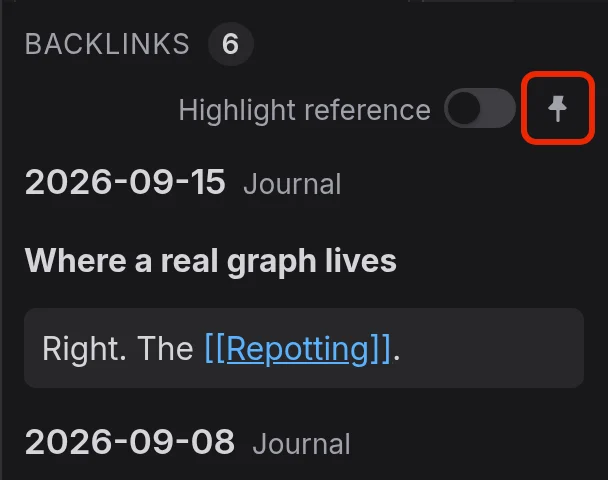
A Pinned to caption under the heading names the document.
-
Open the references you need. The panel stays on the pinned document.
-
To go back to following the document in front, select the pin button again.
The pin lasts until you reload or close the graph.
Show the backlinks of another name
Right-click a wikilink in the editor or a document tab and select Show Backlinks. The panel comes to the front and lists the backlinks of that name.
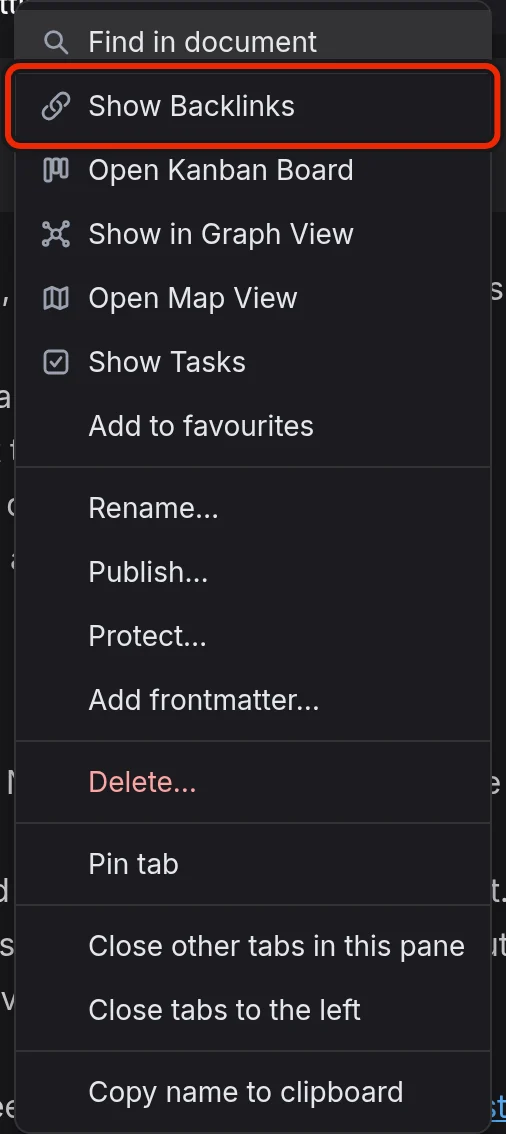
Show Backlinks does not follow the link or switch tabs, so the note you are reading stays in front. If the panel is not pinned, it shows the name under a Showing caption until you open another document, then goes back to following the document in front. If it is pinned, the pin moves to the name.
Links that count
A link counts whether it uses the page name or one of its aliases, in any letter case. These links do not count as backlinks:
- Links from a document to its own name.
- Links in inline code or a code block, because there they are plain text.
- Links in Protected Documents, even while one is unlocked, because their text never reaches the search index.
- Links in the text of Templates, because that text is a pattern copied into other documents.
Backlinks on a published site
Below its content, a published page lists the documents that link to it under Linked references. The list holds only published documents, so one you have not published never appears there. See Publishing Your Notes As A Website for more information.